

A normal inbox can feel safe until a strange login alert, a fake invoice, or a suspicious link shows up.
That’s usually when people start asking how to secure an email account.
Email is one of the easiest ways scammers try to reach you. One wrong click can expose your password, personal details, or work files.
In this guide, you’ll learn what email security means, how it works, and the simple steps that help keep your email account safer.
Key Takeaways
- Email security protects more than your password — it helps defend your account, inbox, and messages from phishing, fake senders, and account break-ins.
- Most email attacks start with suspicious links, attachments, or fake login pages, which is why careful clicking matters as much as security tools.
- The strongest email protection uses layers, including strong passwords, 2-step verification, encryption, spam filters, and account recovery settings.
- Encryption helps protect email content, but it does not stop phishing or account hijacking on its own.
- Simple habits make a big difference: use a unique password, turn on multi-factor authentication, review recovery options, and avoid suspicious downloads or links.
- Gmail, Yahoo Mail, and iCloud can all be secure, but only if you enable their security features and stay cautious with emails that ask you to click, download, or log in.
What Is Email Security?
Email security is the protection around your email account, your messages, and the information inside them.
That includes stopping things like:
- fake emails
- phishing links
- harmful attachments
- account break-ins
- message tampering
In simple words, email security is what helps make sure the right message gets to the right person without being faked, changed, or used against you. NIST describes trustworthy email in terms of protections like authentication, encryption, and message integrity.
So this is not just about having a password.
It is also about how your email provider checks senders, protects messages, and helps block suspicious activity before it reaches you. NIST specifically points to technologies and controls such as SPF, DKIM, DMARC, TLS, and message encryption as part of trustworthy email.
Why Is Email Security Important?
Because email is one of the easiest ways attackers try to reach you.
A single email can be used to trick you into clicking a fake link, opening malware, sharing personal information, or giving away account access. CISA warns that phishing emails are commonly used to steal information and deliver malicious content, and NIST notes that email is inherently vulnerable to forgery, interception, and manipulation.
That is why email security matters so much.
Without it, a normal-looking message can turn into a real problem fast.
With it, you have a much better chance of catching fake emails, protecting your account, and keeping your personal or work information safer.
What Is a Secure Email?
A secure email is an email protected from:
- unauthorized access
- fake senders
- message tampering
- harmful links or attachments
It is not just about the message.
It is also about the account behind it.
A secure email usually depends on:
- encryption
- sender authentication
- spam and phishing filters
- strong account protection
That is what helps keep the message private, trusted, and harder to misuse. NIST recommends protections such as encryption, authentication, and integrity controls as part of trustworthy email.
Is Encrypted Email Secure?
Encrypted email is more secure, but not fully secure on its own. Encryption helps protect the message content, but it does not stop phishing, fake senders, or someone getting into your account. So yes, encryption matters, but it is only one part of email security.
📖 You May Also Like This “Tech Security” Article: How to Stop a DDoS Attack (2026)?
How Email Security Works
Email security works in layers.
One layer checks whether the sender is real.
Another helps protect the message while it travels.
Another blocks spam, phishing, and harmful attachments before they reach you. NIST highlights sender authentication and encryption, while CISA warns that email attacks often use malicious links and attachments.
Then there is your account security.
That includes things like:
- strong passwords
- multi-factor authentication
- suspicious login alerts
- recovery settings
So in simple words, email security works by protecting both the email itself and the account using it.
How to Secure an Email Account
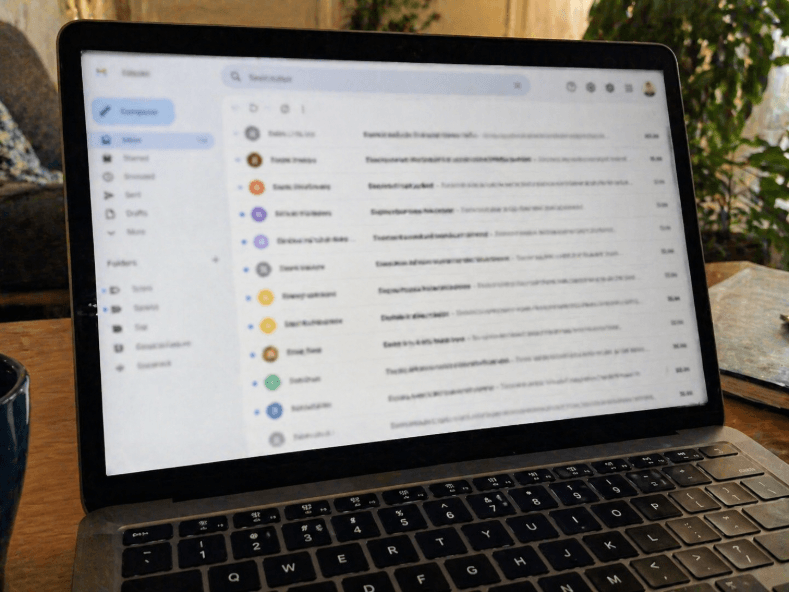
To secure an email account, start with the basics that stop most problems:
- use a strong, unique password
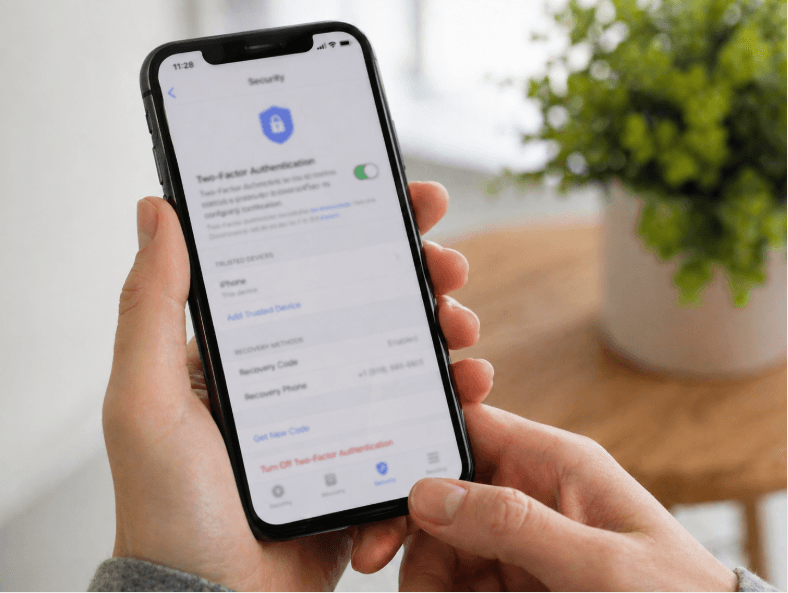
- turn on 2-step verification
- check your recovery email and phone
- avoid suspicious links and attachments
- review your security settings regularly
That is how you make email secure in real life.
It is not just about choosing a good email provider.
It is also about making your account harder to break into.
Even a secure email service can become unsafe if the password is weak or you click the wrong link. That is why your habits matter just as much as the provider’s built-in protections.
📖 You May Also Like This “Tech Security” Article: What Is a Security Audit and Why It Matters?
What Is the Most Secure Email Service?
There is no single best answer for everyone.
The most secure email service depends on what matters most to you.
Some people care most about:
- privacy
- end-to-end encryption
- spam filtering
- account recovery
- business security controls
So instead of asking which provider is perfect, it is better to ask which one fits your needs best.
For example, one provider may be better for privacy, while another may be better for everyday security features, filtering, and account protection.
How to Choose an Email Security Provider
Choose an email security provider based on a few key things:
- encryption
- 2-factor authentication
- spam and phishing protection
- account recovery options
- privacy controls
If it is for work, also check for admin and policy controls. That is usually the smartest way to compare secure email solutions.
Is Gmail, Yahoo, or iCloud Email Secure?
Yes, all three can be secure, but none are secure just because you use them.
Your safety still depends on the protections turned on and how you use the account.
Gmail includes protections like 2-Step Verification and stronger sign-in options such as security keys or Google prompts.
Yahoo Mail includes security features like secure sign-in methods, verification steps for unusual activity, app passwords for some third-party apps, and passkeys on supported accounts.
iCloud Mail is protected through Apple Account security features like two-factor authentication, encryption in transit, encryption at rest, and privacy tools such as Mail Privacy Protection.
So the real answer is this:
- Gmail can be secure
- Yahoo Mail can be secure
- iCloud Mail can be secure
But only if you use their security features properly and stay careful with suspicious emails, links, and attachments.
Frequently Asked Questions
Is Text or Email More Secure?
Neither is always more secure. Both can be used in phishing scams, so security depends more on encryption, account protection, and how carefully you handle messages.
Is Faxing More Secure Than Email?
Faxing is not automatically more secure than email. Modern secure email can be safer when it uses encryption, authentication, and strong account protection.